PUU05 Pump Unit
3-channel pumping system for automated washing stations
Overview
What is it?
- 2x Piston Pumps: Self-sealing & self-priming for washing solutions
- 1x Diaphragm Pump: Reliable aspiration performance
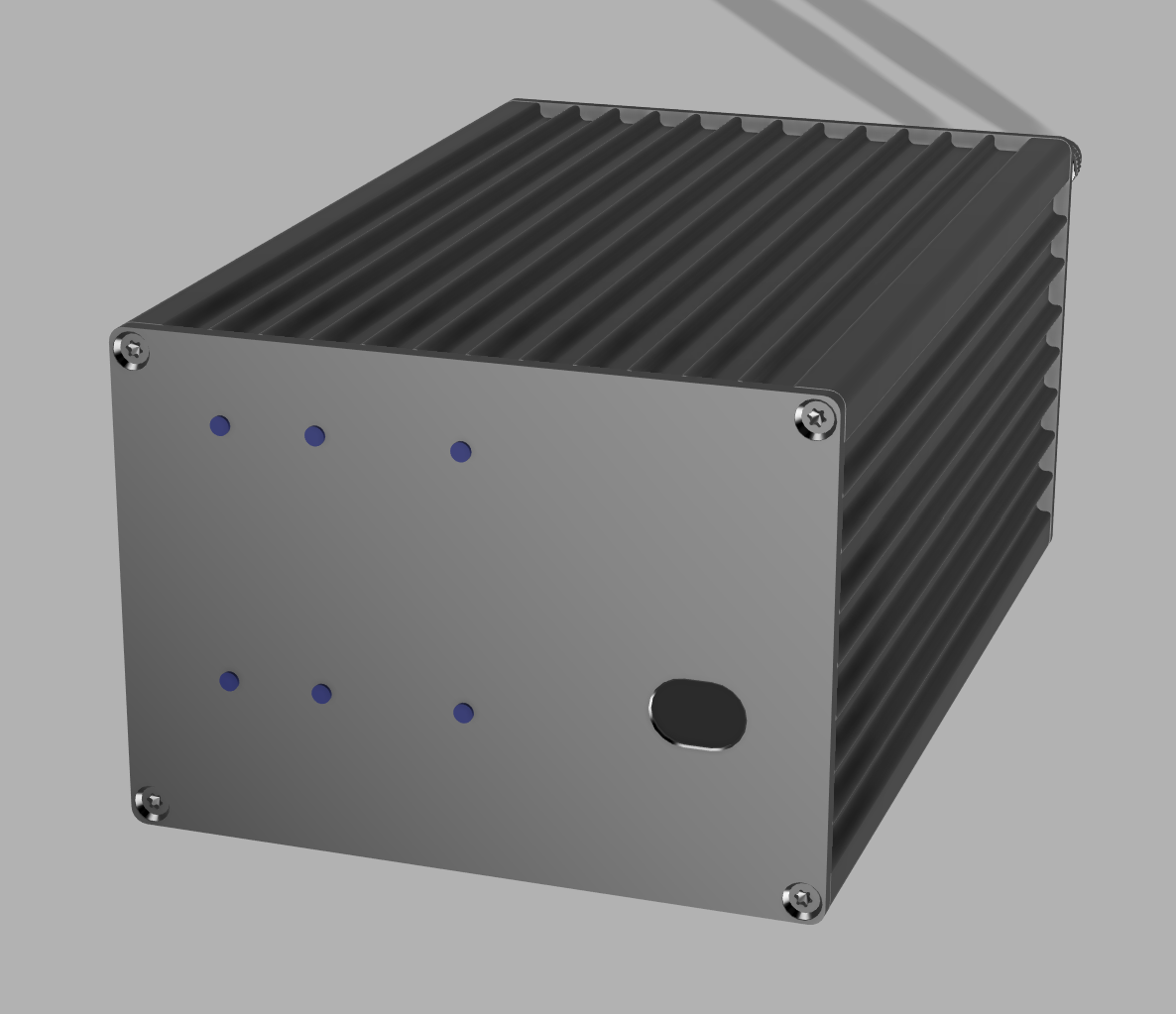
- Robust Housing: Ribbed aluminum design with optimal cooling
- Compact Design: Space-saving and versatile
What is it good for?
- Flexible Emptying: Washing station can be emptied before filling or after washing
- Sequential Washing: 2 different washing solutions in sequence or individually
- Time-Controlled: Precise control of washing cycles and pumping durations
- Automatic Aspiration: Aspiration pump completely empties the washing station
- Flexible Control: Soft or hard start behavior adjustable
- Ideal for: Laboratory automation, cleaning processes, analytical technology
What do I need?
- Power Supply: 24V DC, max. 2.5A
- Rear Panel: 2x INPUT, 2x OUTPUT, aspiration IN/OUT, 2x M8 Binder (3-pin), switch
- Front Panel: USB port for parameterization
- Software Configuration: Special PUU05 software for timing & pump control
- Note: Parameterization should be performed by trained personnel
Technical Specifications
Pump Specifications
Electrical Data
Control Functions
Connections & Setup
Rear Panel
- 2x INPUT
Washing solution supply from containers - 2x OUTPUT
Washing solution delivery to washing station - 1x Aspiration IN
From washing station - 1x Aspiration OUT
To waste container - 1x Power
24V DC supply (≤ 2.5A) - 2x M8 Binder
Control channel 1 & 2 (3-pin) - 1x Switch
Soft/hard start aspiration pump
Front Panel
- USB Port
For parameterization & configuration - Status LEDs
Operating status indicators - Cooling Fins
Passive housing cooling
PUU05 Configuration Software
The PUU05 comes with a web-based configuration tool that allows you to precisely configure all pump timing parameters via USB connection. The software runs directly in Chrome, Edge, or Opera browsers without any installation required.
' stroke-width='1'/%3E%3Ctext x='70' y='75' font-family='system-ui' font-size='18' fill='%230b2a3f' font-weight='600'%3EPUU Sequence Configuration%3C/text%3E%3Ctext x='70' y='95' font-family='system-ui' font-size='12' fill='%2364748b'%3EWeb GUI to configure PUU Timings%3C/text%3E%3Crect x='70' y='115' width='660' height='80' rx='10' fill='none' stroke='rgba(11,42,63,0.12)' stroke-width='1'/%3E%3Ctext x='85' y='135' font-family='system-ui' font-size='11' fill='%2364748b' font-weight='600'%3EWaste Pump Settings%3C/text%3E%3Crect x='85' y='145' width='150' height='35' rx='6' fill='%23f9fbff'/%3E%3Ctext x='95' y='165' font-family='system-ui' font-size='11' fill='%230b2a3f'%3EDuty: 25%25%3C/text%3E%3Crect x='245' y='145' width='150' height='35' rx='6' fill='%23f9fbff'/%3E%3Ctext x='255' y='165' font-family='system-ui' font-size='11' fill='%230b2a3f'%3EFreq: 50 Hz%3C/text%3E%3Crect x='405' y='145' width='150' height='35' rx='6' fill='%23f9fbff'/%3E%3Ctext x='415' y='165' font-family='system-ui' font-size='11' fill='%230b2a3f'%3EOn: 5.0 ms%3C/text%3E%3Crect x='565' y='145' width='150' height='35' rx='6' fill='%23f9fbff'/%3E%3Ctext x='575' y='165' font-family='system-ui' font-size='11' fill='%230b2a3f'%3EDur: 2000 ms%3C/text%3E%3Crect x='70' y='210' width='660' height='80' rx='10' fill='none' stroke='rgba(11,42,63,0.12)' stroke-width='1'/%3E%3Ctext x='85' y='230' font-family='system-ui' font-size='11' fill='%2364748b' font-weight='600'%3EFresh 1 Pump Settings%3C/text%3E%3Crect x='70' y='305' width='660' height='80' rx='10' fill='none' stroke='rgba(11,42,63,0.12)' stroke-width='1'/%3E%3Ctext x='85' y='325' font-family='system-ui' font-size='11' fill='%2364748b' font-weight='600'%3EFresh 2 Pump Settings%3C/text%3E%3Crect x='70' y='400' width='90' height='30' rx='15' fill='%232563eb'/%3E%3Ctext x='90' y='420' font-family='system-ui' font-size='11' fill='white' font-weight='600' text-anchor='middle'%3EConnect%3C/text%3E%3Crect x='170' y='400' width='110' height='30' rx='15' fill='white' stroke='rgba(11,42,63,0.12)' stroke-width='1'/%3E%3Ctext x='225' y='420' font-family='system-ui' font-size='11' fill='%230b2a3f' font-weight='600' text-anchor='middle'%3EGet Settings%3C/text%3E%3Crect x='290' y='400' width='120' height='30' rx='15' fill='white' stroke='rgba(11,42,63,0.12)' stroke-width='1'/%3E%3Ctext x='350' y='420' font-family='system-ui' font-size='11' fill='%230b2a3f' font-weight='600' text-anchor='middle'%3ESend Settings%3C/text%3E%3C/svg%3E)
PUU05 Configuration Software Interface
Quick Start Guide
- Open the Software: Open the provided HTML file in Chrome, Edge, or Opera browser
- Connect via USB: Connect the PUU05 to your computer via USB and click "Connect"
- Load Current Settings: Click "Get Settings" to load the current configuration from the device
- Adjust Parameters: Modify timing values for Waste Pump, Fresh 1, and Fresh 2 as needed
- Upload & Save: Click "Send Settings" to upload and automatically save to device EEPROM
- Test Operation: Use "Run 1" or "Run 2" buttons to test individual pump sequences
Key Parameters
- Duty Cycle: PWM duty cycle (1-50%), determines pump speed
- Frequency: PWM frequency in Hz (1-100 Hz)
- On-Time: Calculated pump on-time (max 10ms)
- Duration: Total pump run time in milliseconds
- Delay: Wait time before starting Fresh 1 or Fresh 2 pumps
The parameterization of the PUU05 should only be performed by trained personnel. The specially developed software enables precise setting of pump control signals and timing parameters. Incorrect configuration can lead to malfunctions or damage to the connected washing station. For questions regarding parameterization, please contact technical support.